 A student with the accommodation of “access to notes” might have qualified for the accommodation due to a visual or hearing impairment, an attentional issue, a processing difficulty, or a struggle with working memory. There are different ways of providing this access depending upon the individual’s functional limitations, therefore an Accommodation Memo might list “use of a recording device” or “access to a peer note taker.” There are also variations that include “copy of teacher notes” or “copy of PowerPoint slides in advance.”
The reason for the note taking assistance is that something about the individual’s disability impacts his or her ability to create a set of notes that documents important information from class. The level of impact varies, and the accommodation should be in line with the extent that the individual’s note-taking capacity is limited. Student Accessibility Services is working toward customizing this, looking at each student’s ability to take notes and what he or she needs to be able to create notes at the same level as students without disabilities.
For example, many students with disabilities take notes in class, however due to a slower processing speed or attentional issues, may miss some information during the lecture or discussion. For these students, the accommodation of “use of a recording device” is ideal because the recording allows the student to go back later and fill in the missing information. There are technology devices – referred to as assistive technology – that can make this very easy and efficient for students. Assistive technology refers to a device or program that allows those with disabilities to enhance their functionality and increase their independence.
Two pieces of assistive technology for note taking, which are available for students to borrow from the SAS office, are the Livescribe Smart Pen and Sonocent Audio Notetaker program. The Smart Pen is used in conjunction with a special notebook that includes markings on it to start and stop the pen’s recording; there are also markings on the page that align the recording with where your written notes are on the page. So, a student touches the spot on the page where she missed something in the notes, and she can listen back and fill in her notes. Or, a student can just listen back to a part of the lecture that was unclear or challenging.
Sonocent Audio Notetaker works in a similar way, but is a computer program. The lecture is recorded through the student’s laptop, and the student’s typed notes are aligned with the recording. If something is missed in the notes – just click in that spot and that part of the lecture is replayed. There are also tablet and smartphone apps that perform similar tasks.
For many students with disabilities, the use of assistive technology enables them to take their own notes, with the technology able to compensate for their functional limitations. The benefit is that students are able to make a complete set of notes independently and do not have to rely upon another student’s judgment as to what was important enough to include in notes. Also, another student may already know or understand something and therefore not include that in their notes. Taking your own notes with technology assistance avoids these issues.
The accommodation of a peer note taker is intended for a student who cannot make a set of usable notes independently that can then be supplemented with the use of assistive technology. The peer note taker is still intended to supplement the student’s own notes to the extent that the student can take his or her own notes independently.
There are some ways that faculty can proactively make class notes more accessible for all students (following principles of universal design for instruction). One is by putting your own notes (or a skeletal outline for students to fill in) onto Moodle, so that all students in class can use those to compare to their own notes – students will fill in their own notes or rely on the teacher’s notes as needed. 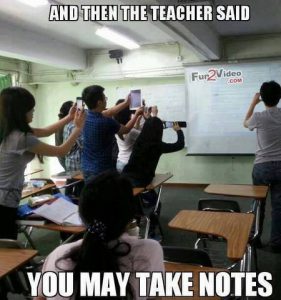 This can be especially helpful in classes with mathematical problems where it may be hard for students to accurately or quickly copy what the teacher is writing on the board, and a recording of such may not be very useful when the primary intake is visual. A second is to have a dedicated class note taker (class members can take turns) who posts his or her notes on Moodle for the rest of the class to review and compare to their own notes. A third is to record the class – audio or video – and post the recording on Moodle. And finally, a simple method is to allow students to take a picture of the board with their phones if you’ve written a lot of information, drawn a diagram or chart, or solved a math problem that may be hard to recreate in their notes.
Faculty and staff members who are interested in learning more about assistive technology can contact Lillian Liebenthal at x5428.
Concerns About Recordings
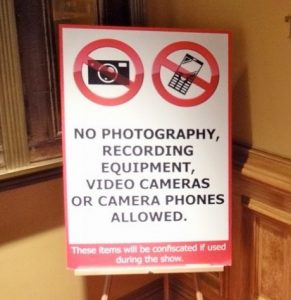 Some faculty members worry that recordings stifle class discussions or may be misused. First and foremost, §504 of the Rehabilitation Act of 1973 doesn’t mention many specific accommodations, but it does explicitly state “use of tape recorder” as an example of providing access when necessary for an individual with a disability. So, like it not, it’s one of the few things that the law explicitly includes. Secondly, if there is a sensitive topic being discussed, students who are recording can be told to stop – as long as students taking written notes are told not to take notes at that time (remember, it’s about equal access, so if no students can take notes, then students with a note taking accommodation don’t get to either). Thirdly, our Use of Recording Device policy and agreement address appropriate use of recordings – click on the links to read the limitations of the use of the recordings and consequences for misuse of recordings.
